
logo
Rosebud Knowledge Base
Getting started
Install the Mobile App
Biometric lock
Add to Dock
Language Support
Rosebud’s Limitations
Referral program
Roadmap
Review us
Tools for growth
Dig deeper
Personalized content
Personalized prompts
Happiness recipe
Ask Rosebud
Voice journaling
Add photos
Scan handwritten journal
Guiding Light
Daily journaling
Morning intention
Evening reflection
Guided journals
Custom journals
Streaks
Blank entry
Entry history
Time & Locale
Notifications
➕
Submit your own
AI Analysis
Entry reflection
Weekly report
Auto-tagging
Long-term memory
AI Personalization
Learned Preferences
Account
Billing
Refund Policy
Gift Cards
Troubleshooting
Export data
Delete your account
Student, Senior Citizen and Disability Discounts
Military and Veteran Discounts
Using a Promo Code
Changes to the Free Plan
Comparison
ChatGPT vs. Rosebud
About us
Vision
Privacy Policy
Terms of Service
Bug Bounty Program
Affiliate Program
Rosebud Practitioner Program
Press kit
Get in touch
Rosebud Knowledge Base
/
Account

Export data

Export entries on mobile

To download entries on mobile, you can find the Export option under Settings.
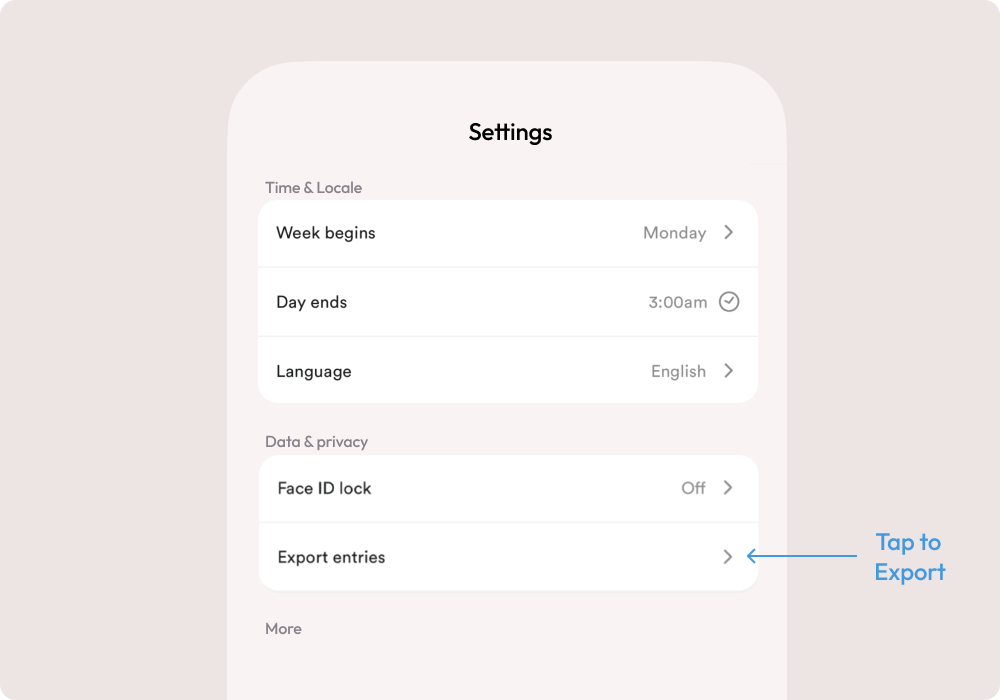
Image without caption

Export entries on web

To download selected entry, click on the three-dot icon in the top right corner then choose ‘Export.’
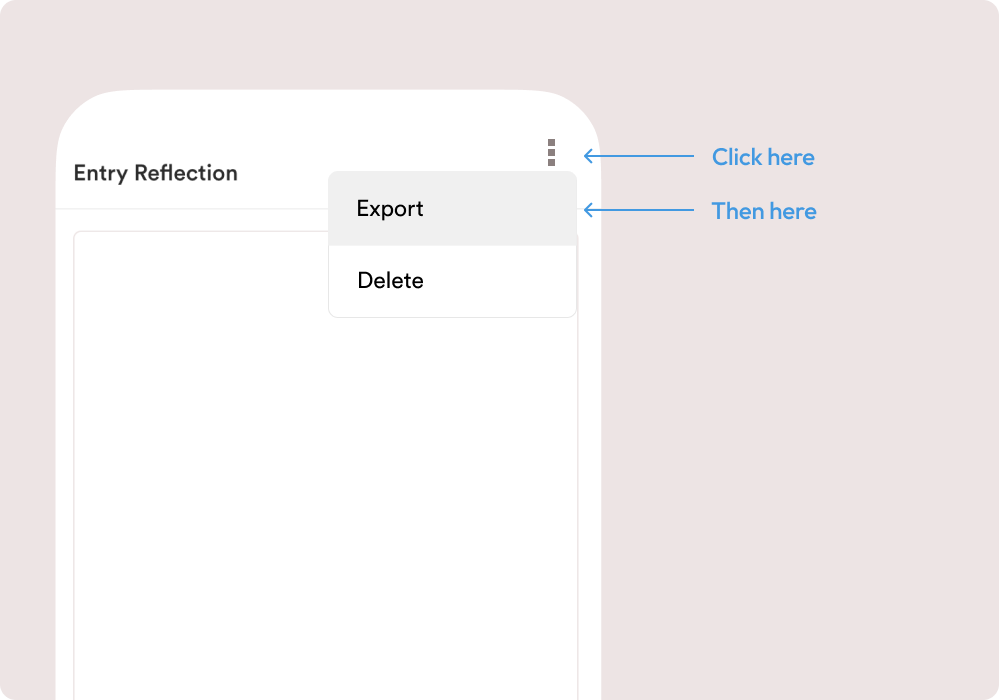
Image without caption
To download all your entries, go to Settings and click the ‘Export’ button under the ‘Export to Markdown’ section.
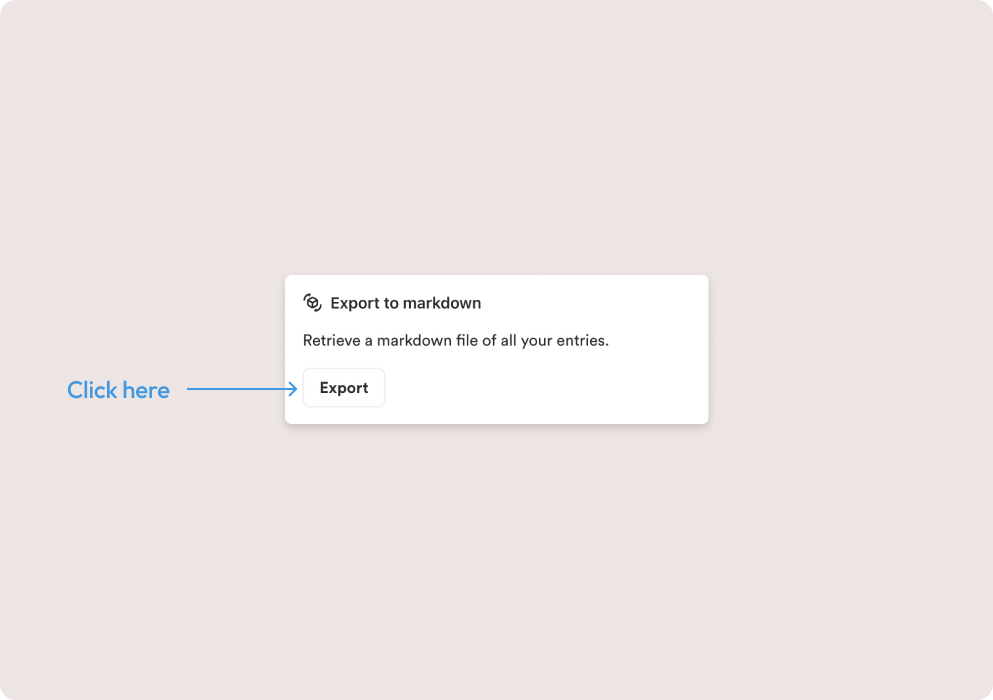
Image without caption
Troubleshooting
Delete your account

Powered by Notaku
Helpful?
Share
Content
Export data
Export entries on mobile
Export entries on web