
To apply a Rosebud promo code:
- Go to the Rosebud web application at https://my.rosebud.app
- If you're new to Rosebud, create an account. If you're an existing user, log in to your account.
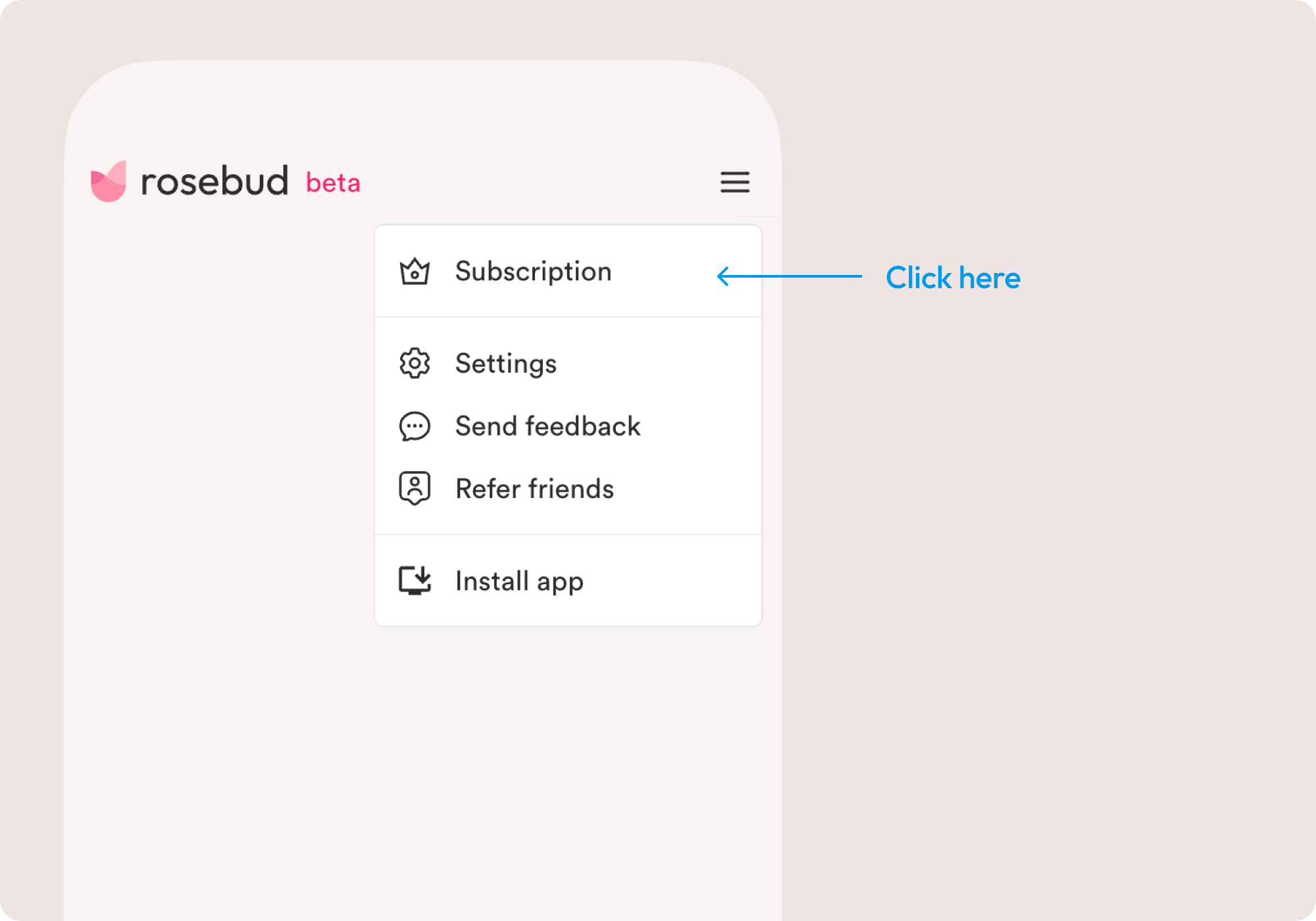
- Navigate to the Subscription/Upgrade page, which can be accessed via the ☰ menu in the top right.
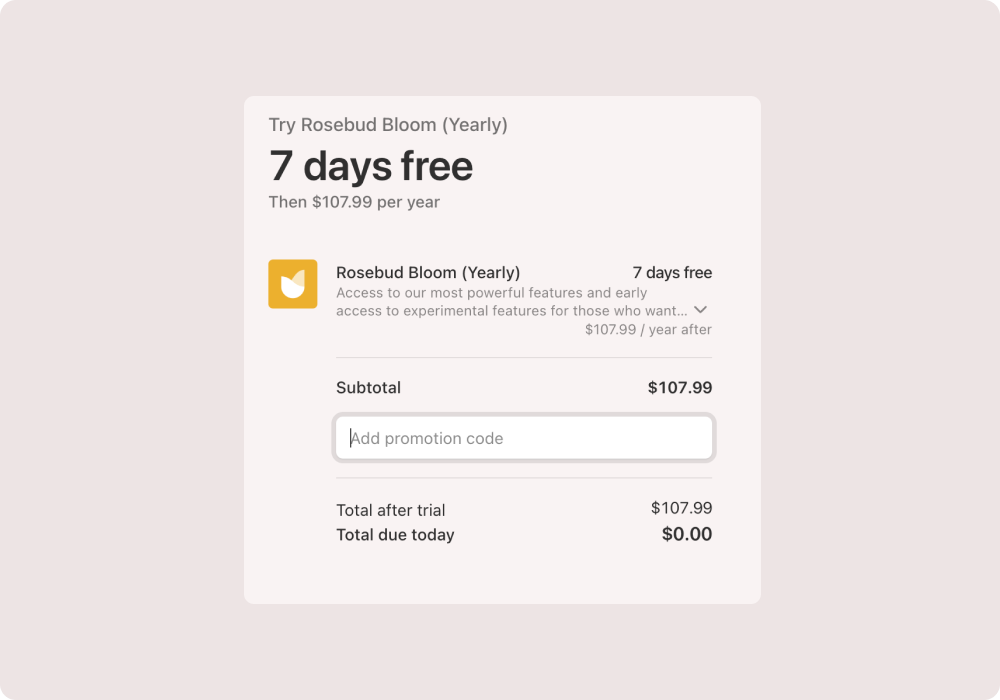
- Click the “Add promotion code” button during the Stripe checkout process.
- Complete the checkout process.
Please email us at support@rosebud.app if you have questions or if you encounter any issues.